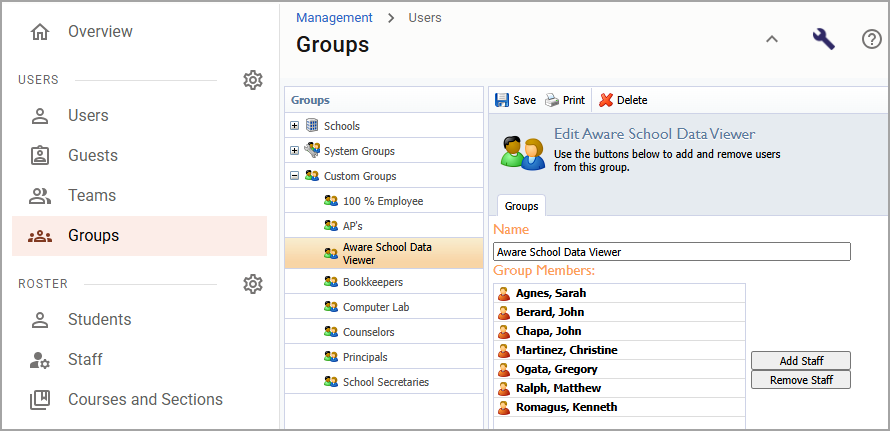
Groups streamline management of user roles and rights. By adding users to groups, you can apply permissions to the group as a whole rather than managing each account individually. Whether assigning someone as a teacher, evaluator, school administrator, or data viewer, groups ensure that users have the appropriate level of access based on their responsibilities within the district.
Proper group configuration is essential for maintaining security, streamlining workflows, and aligning access with district roles and policies.
Groups are used to:
Grant access to specific applications, such as Aware, Beacon, and Strive.
Assign roles like Teacher, Campus Administrator, or Curriculum Manager.
Control visibility of data, reports, and forms.
For example, you assign a user to the “Aware School Data Viewer” group to grant them access to student assessment data at their school.