Test authors can create prebuilt tests in Aware if they have access to any of the following item banks:
Bluebonnet
lead4ward Rubric Assessments
STAAR Released Tests
TEKSready
Administrators may need to manage access based on test security needs in Set Default Security. Test access can be granted or denied by user level.
Quick Guide
Select Prebuilt Tests under Item Bank in Aware.
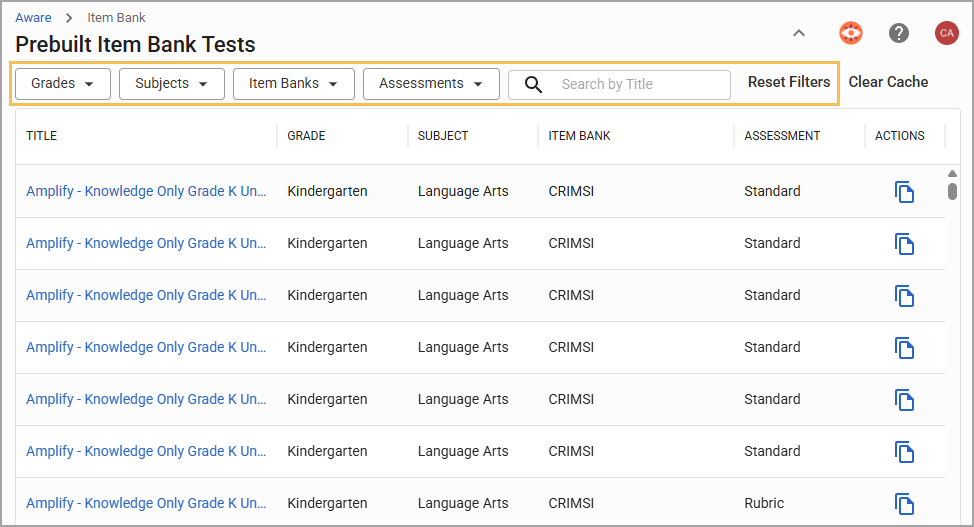
Search by title or use the table filters to locate the desired prebuilt test.
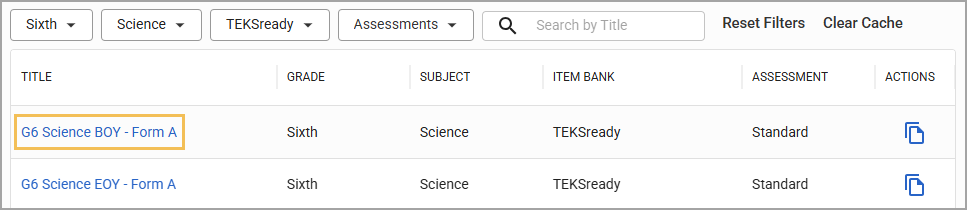
Click on a test title to preview the test.
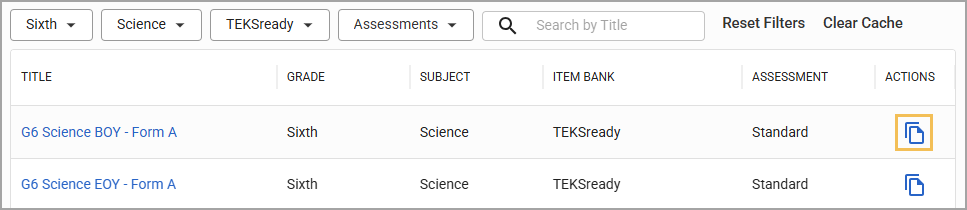
Select Create Copy or the Copy Test icon once you’ve found the desired prebuilt test.
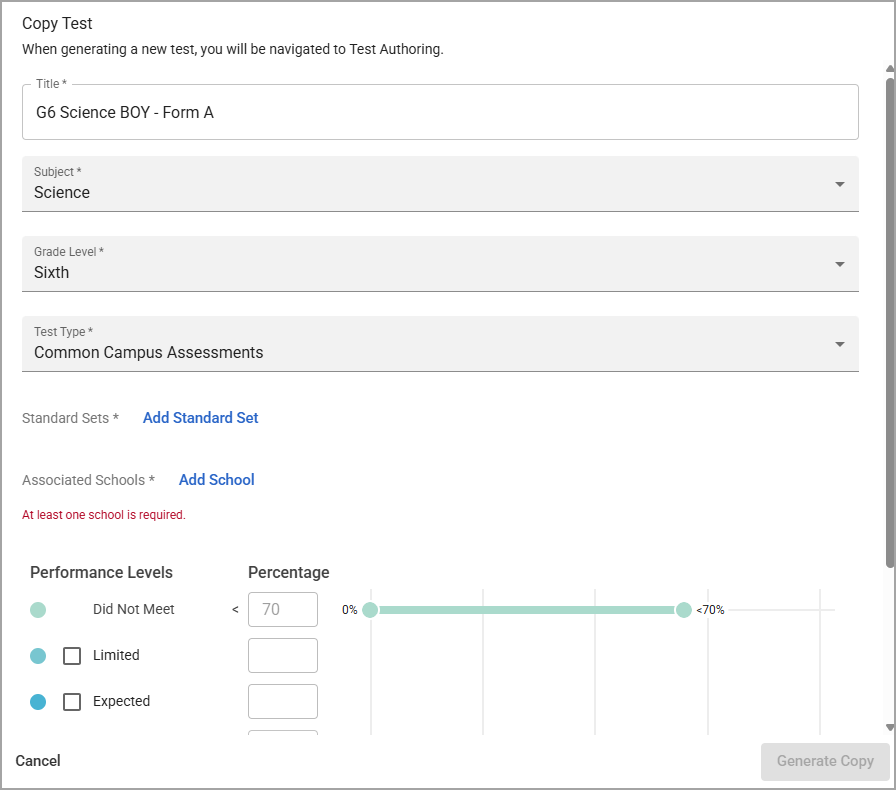
Keep or edit the test’s title, subject, grade level, test type, and performance levels; add the relevant standard sets and schools; and then select Generate Test.
Use the test in Author Assessments the way you would any other local test.
Illustrated Guide
Step 1: Select Prebuilt Tests under Item Bank in Aware.

Step 2: Search by title or use the table filters to locate the desired prebuilt test. You can apply one or many of the following filters to narrow down results:
Grades
Subjects
Item Banks
Assessments
Step 3: Click on a test title to preview the test.
Step 4: Scroll through the items to make sure this is the correct test and then select Create Copy.

You can also copy a test by selecting the Copy Test icon in the Prebuilt Item Bank Tests list.
Step 5: Keep or edit the test’s title, test type, subject, grade, and performance levels. These changes apply to the copied version only. Add the desired Curriculum Course. Administrators can also add one or more Associated Campuses to the test.
Then, select Generate Test to finish copying the test over to Author Assessments in Aware.