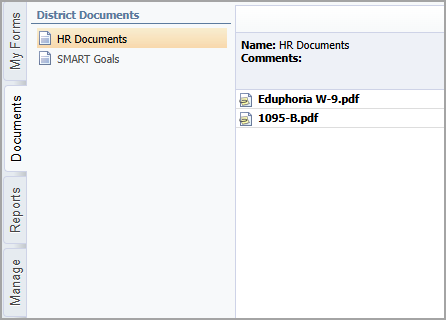
The Documents tab, also called the District Document Store, is accessible to all Formspace users and improves communication within districts by simplifying access to necessary documents. This tab organizes documents created in Formspace, allowing staff to access important files such as handbooks, policies, and codes of conduct and so on. With an easy-to-use interface, users can quickly find a document by expanding categories and download attached files as needed.
To download a district document, choose a document from the list and then select an attached file. The file automatically downloads to the default location on your device.
Note: The documents available on this tab are created and managed from the Manage tab by users with the Manage Document Catalog right.