If you need to update the title or change the dates of an assessment window, you can edit the assessment window details from the course hub.
Quick Guide
Editing an Assessment Window From the Year at a Glance View
From the Year at a Glance course view (), select the bar that represents the assessment window.
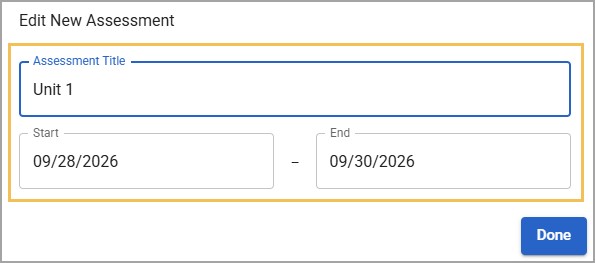
A window appears, allowing you to edit the Assessment Title and Start and End dates. Make changes as needed.
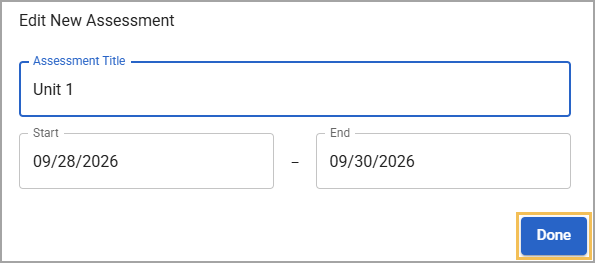
Select Done to save your changes.
Editing an Assessment Window From the List View
From the List course view (), select the Assessments tab.
Then, edit the Title and Dates by double-clicking the cell and then typing a new entry.
When you are finished, click outside of the row to save your changes.
Illustrated Guide
Editing an Assessment Window From the Year at a Glance View
Step 1: From the Year at a Glance course view (), select the bar that represents the assessment window. 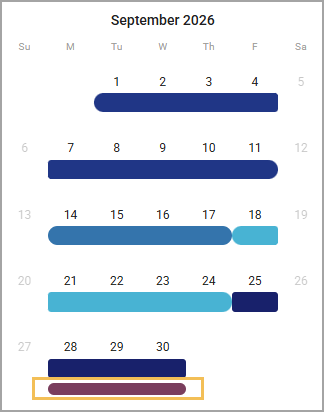
Step 2: A window appears, allowing you to edit the Assessment Title and Start and End dates. Make changes as needed.
Step 3: Select Done to save your changes.
Editing an Assessment Window From the List View
Step 1: From the List course view (), select the Assessments tab.
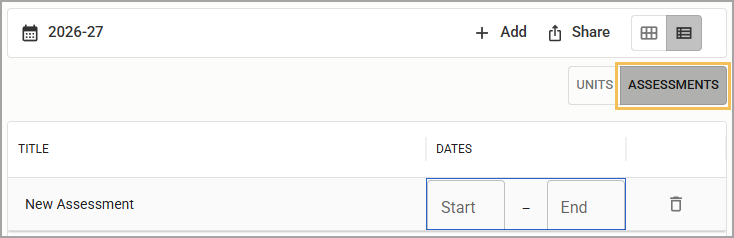
Step 2: Edit the Title or Dates by double-clicking the cell and then typing a new entry.
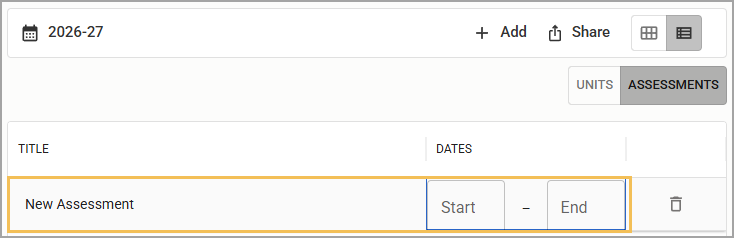
Step 3: When you are finished, click outside of the row to save your changes.