Once a system administrator has enabled electronic signatures for the district, other administrators can set them up in Formspace. Staff members must authenticate their signature using their login credentials and by answering their security question.
Quick Guide
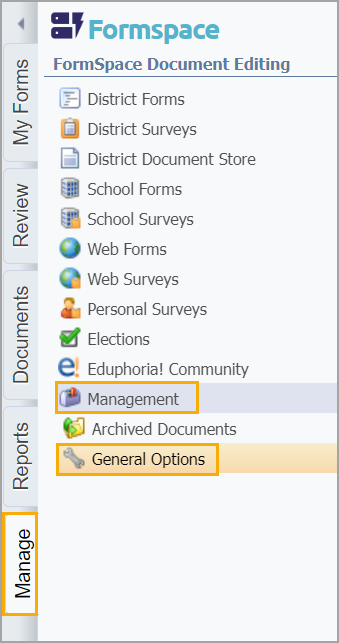
Click the Manage tab, select Management, then select General Options.
In the System-Wide Settings tab, check the box for the Enable electronic signatures for SchoolObjects:formspace option.
Click Save.
Illustrated Guide
Step 1: Click the Manage tab, select Management, then select General Options.
Step 2: In the System-Wide Settings tab, check the box for the Enable electronic signatures for SchoolObjects:formspace option.
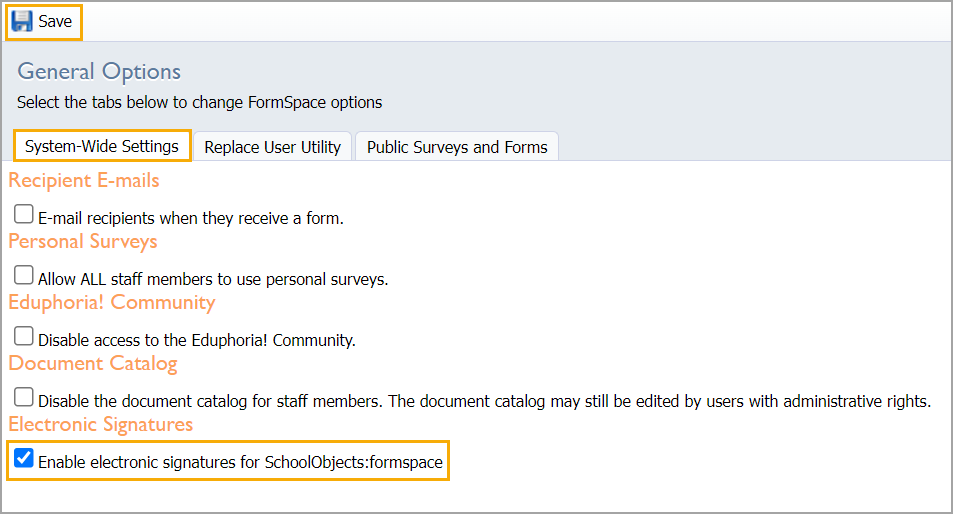
Step 3: Click Save.
Staff Setup for Electronic Signature
To electronically sign a Formspace document, staff must authenticate with their login credentials and answer the security question.
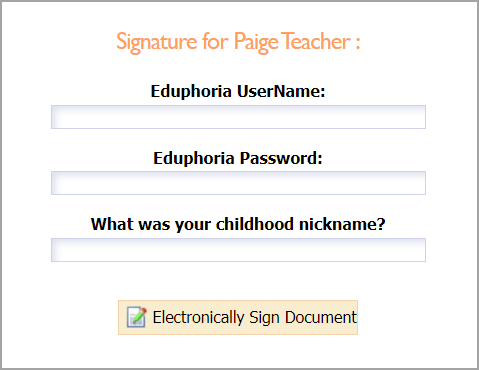
They can then select Electronically Sign Document to submit their signature.
Staff members set up their security question in their profile by selecting from a list of questions and providing an answer, which is encrypted and stored in Eduphoria’s database. Administrative users must provide a subject and grade to proceed to the security question page.
Note: Answers are case-sensitive and space-sensitive.
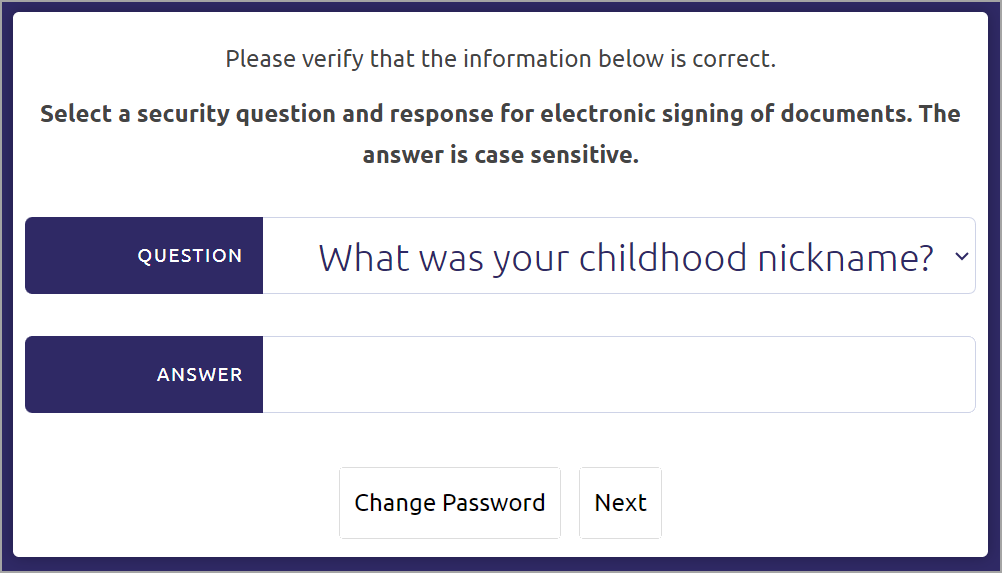
Enter an answer and click Next to complete the process. The system doesn’t notify users when it saves their security question and answer.
Note: If users forget their security question answer, they can log back into Eduphoria and click on My Profile on the main application screen. They can change their security question and answer as long as they can log in to their Eduphoria account. They do not need to contact tech support for help with security questions. Only the user can update or change their electronic signature.