Once a system administrator has authorized electronic signatures for the district, other administrators can set them up for Strive evaluation documents. Educators and their evaluators can add their signatures to lock the document and conclude the evaluation process.
Quick Guide
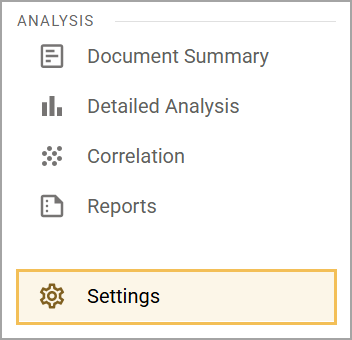
Select Settings () in Strive.
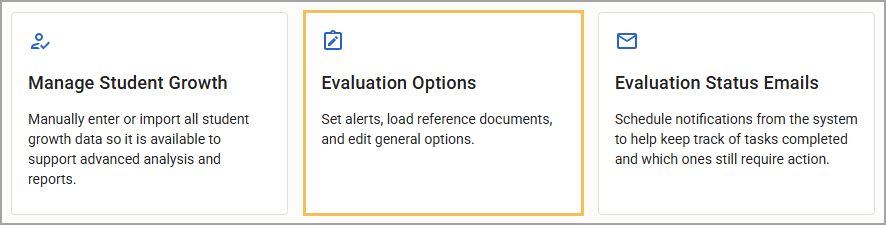
Select Evaluation Options.
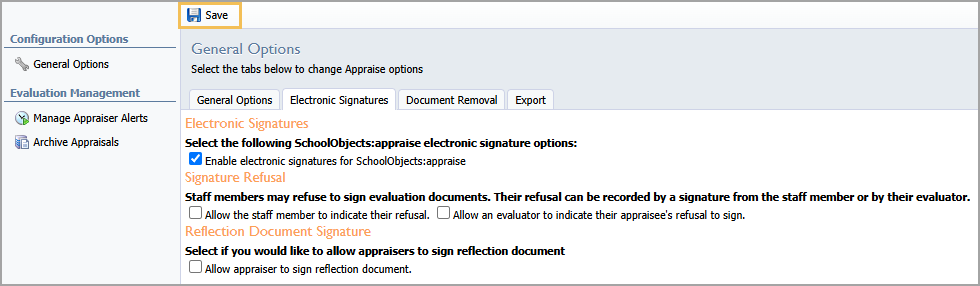
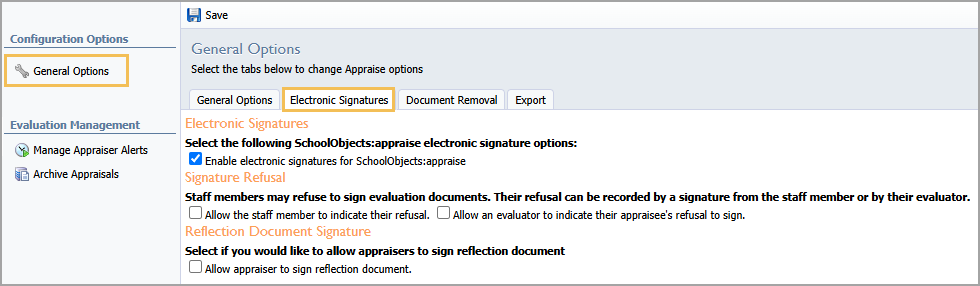
Access the Electronic Signatures tab of General Options.
Select the checkbox for the Enable electronic signatures for SchoolObjects:appraise option.
Review the Signature Refusal and Reflection Document Signature options and make selections as appropriate.
Click Save () when finished.
Illustrated Guide
Step 1: Select Settings () in Strive.
Step 2: Select Evaluation Options.
Step 3: Access the Electronic Signatures tab of General Options. This tab only appears after activating electronic signatures in Management.
Step 4: Select the checkbox for the Enable electronic signatures for SchoolObjects:appraise option.
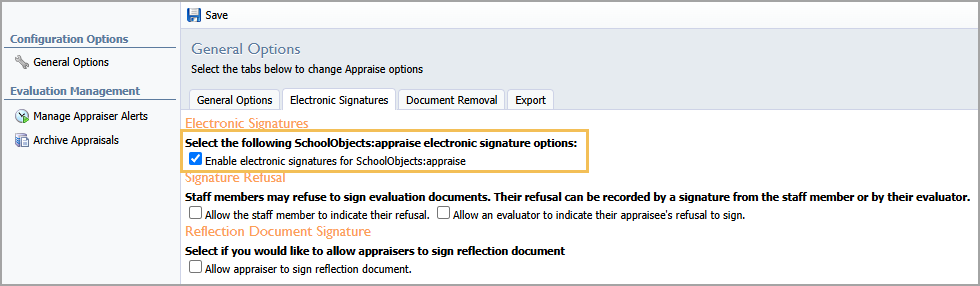
Step 5: Review the Signature Refusal and Reflection Document Signature options and make selections as appropriate.
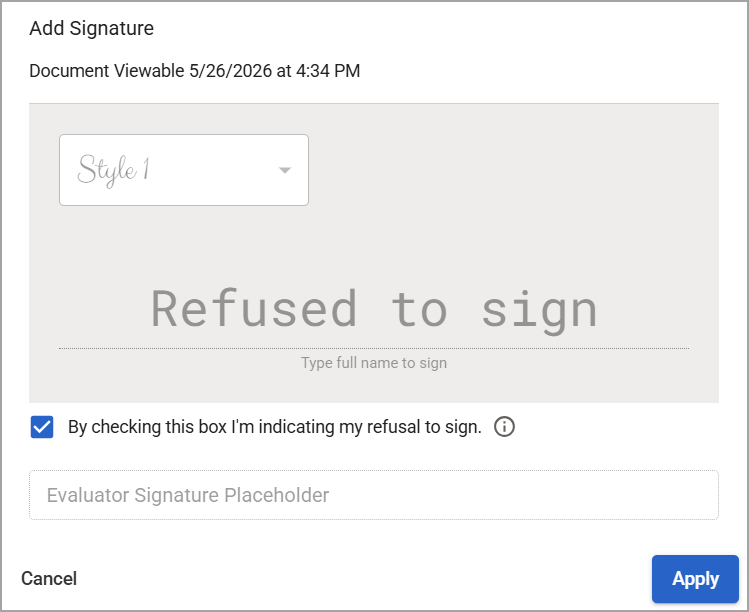
Allowing staff members to refuse to sign the document grants them the option to indicate their refusal on the document’s signature display. This action also locks the document from editing. Before the evaluator signs, the staff member can withdraw their refusal if necessary.
Step 6: Click Save () when finished.