The Manage section of Strive helps district and school leaders oversee staff members and their professional learning activities. It groups together several related screens that focus on maintaining accurate staff records, managing evaluation documents for staff members, tracking development progress, and handling approvals for professional learning credits.
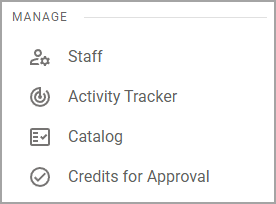
Screens in Manage
Screen | Description | Access |
|---|---|---|
Staff () | The primary hub for viewing and maintaining staff evaluation processes. |
|
Activity Tracker () | Allows users to monitor and log professional learning activities. This helps track participation, progress, and completion of required learning. |
|
Catalog () | Allows professional development administrators and course managers to create and manage conferences and courses. |
|
Credits for Approval () | Serves as a review and approval queue for submitted professional learning credit requests. Administrators can verify and approve activities to ensure compliance with district requirements. |
|