The Overview provides an at-a-glance visual view to help evaluators answer the question, “What do I need to do right now?” and provides insight into the status of all staff evaluation processes. In addition, the Overview helps evaluators identify next steps, including signing evaluations, approving goals, starting a walkthrough, and more.
Note: Only evaluators with assigned staff have access to the Overview.
.png)
Activity Status
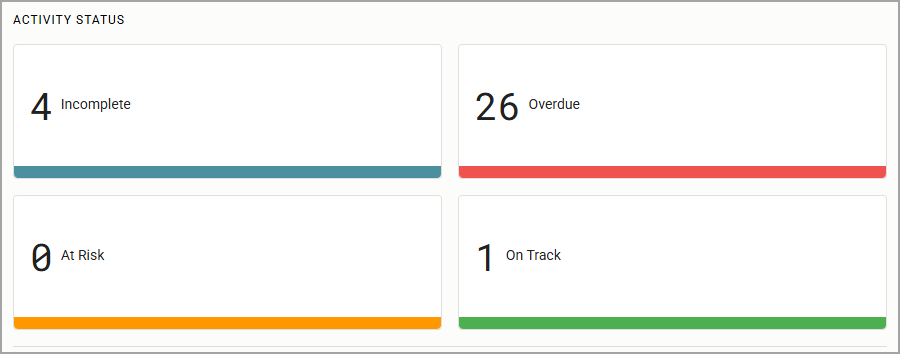
Activity Status shows the evaluation process tasks for all formal staff. My Incomplete Items displays tasks that require action. Based on the due dates for each process task, the system alerts you to tasks that are Incomplete, Overdue, At Risk, or On Track for all staff members.
Incomplete Items
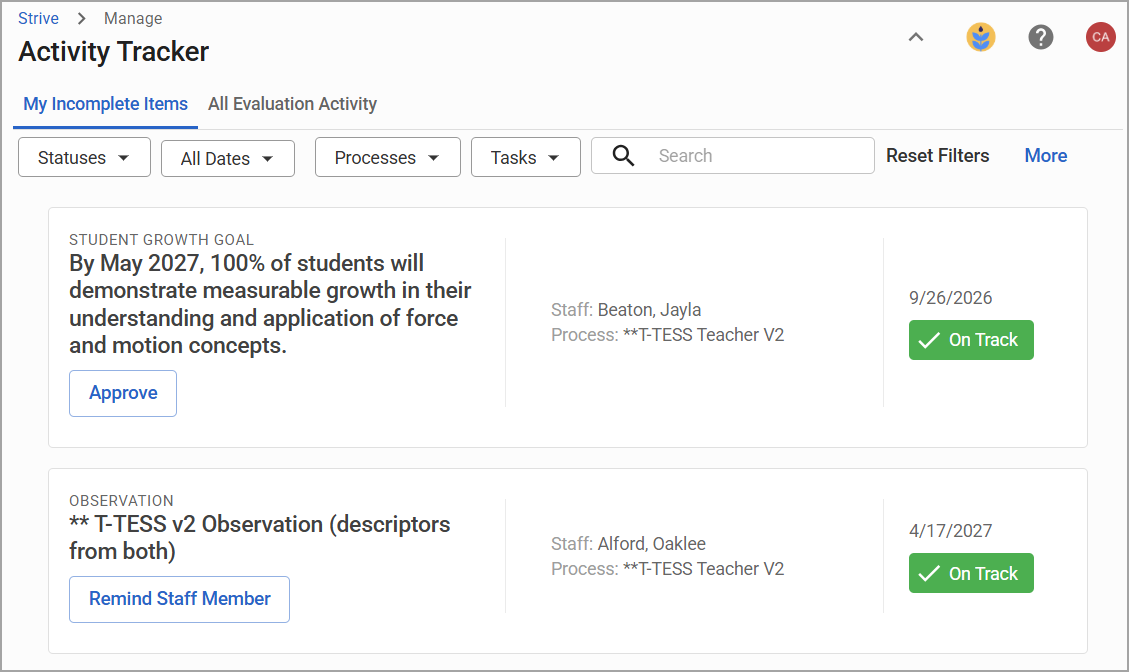
Incomplete Items call attention to any documents or goals within a task that may require review within the My Incomplete Items table in the Activity Tracker. Incomplete items include actions, such as:
signing an observation,
making a walkthrough viewable to a staff member,
approving a staff goal, or
sending a reminder to view a document.
Tasks Not Started
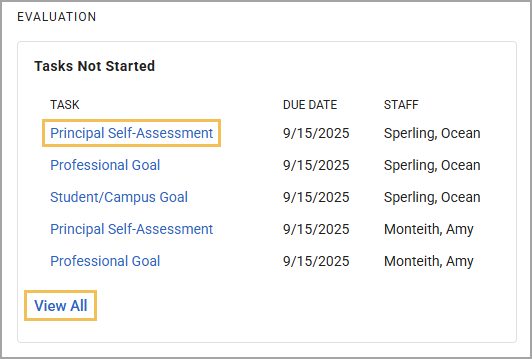
Tasks Not Started includes a list of tasks that have not yet begun. Tasks are listed in priority order based on due dates. Click the tile to create a task or click View All to create a task from the All Evaluation Activity table in Activity Tracker.
Note: If a task is in progress, it shows as Not Started until it is complete.
Walkthroughs
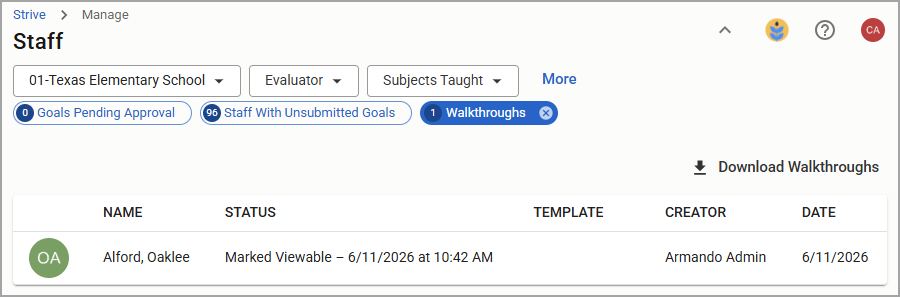
The Walkthrough tile provides a quick count of walkthroughs on your campus within either a 1 Week, 2 Week, or 1 Month timeline. Click View to see a detailed table of walkthrough information.
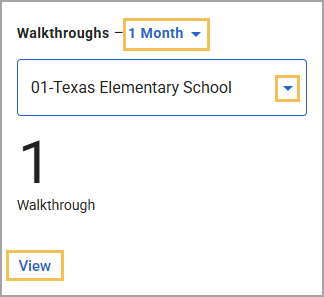
The detailed Walkthrough table allows evaluators to filter, search, sort, view status, and download all walkthrough data.