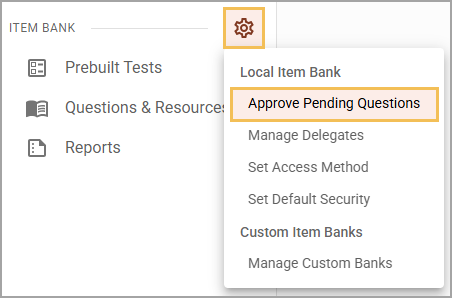
Select the Item Bank Settings gear in the main menu and then choose Approve Pending Questions.
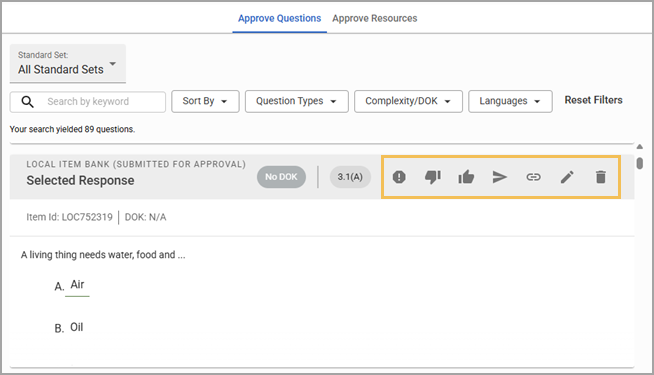
Items awaiting approval appear as Approve Questions or Approve Resources in the associated course’s folder. Select a tab to approve, edit, or deny either pending questions or pending resources.
Note: When you select a standard set from the Standard Set drop-down menu, the selected set of standards apply to both the Approve Questions and the Approve Resources tabs.
Approvers may choose from the following actions:
Reject - Sends the question back to the creator
Approve - Sends the question to the next approval step
Publish - Publishes question, skipping over all other approval steps
Link - Links question to a resource
Edit - Opens question editor
Delete - Deletes the question completely
Approvers can also edit questions on the approval screen. Formatting, question type, standards, and resources are all available to edit.