The My Planners screen is the central instructional planning workspace in Beacon. It provides educators with a consolidated view of their assigned classes, or “preps”, and the tools needed to create effective lesson plans across the instructional calendar year.
Rather than serving as a repository for curriculum content alone, My Planners provides the framework for applying that content to specific classes and instructional dates. By aligning with the instructional calendar and allowing instructors to pull pre-existing curriculum components directly into their plans, My Planners provides the tools needed to build out lesson plans that are custom tailored to their unique group of students and create a structured guide to instruction that they can quickly reference at any point in their day.
My Planners is made up of two tabs:
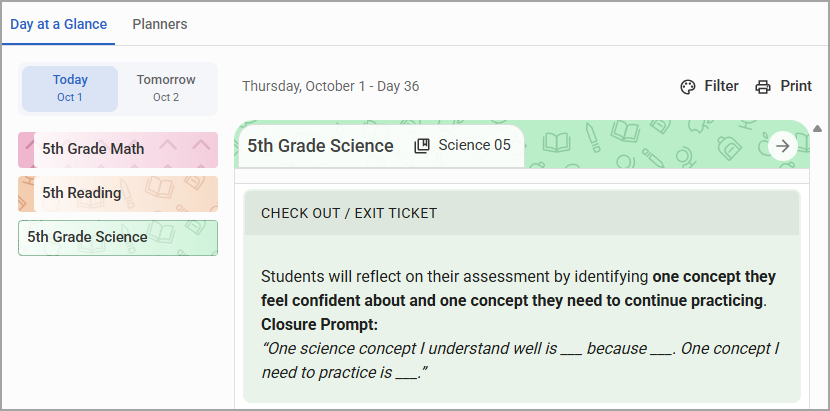
Day at a Glance - The Day at a Glance tab allows you to quickly reference their plans for today or tomorrow in an expanded view.
Planners - Planners is your workspace. On this tab, you can access any day of the instructional calendar year to create, edit, and organize your lesson plans.
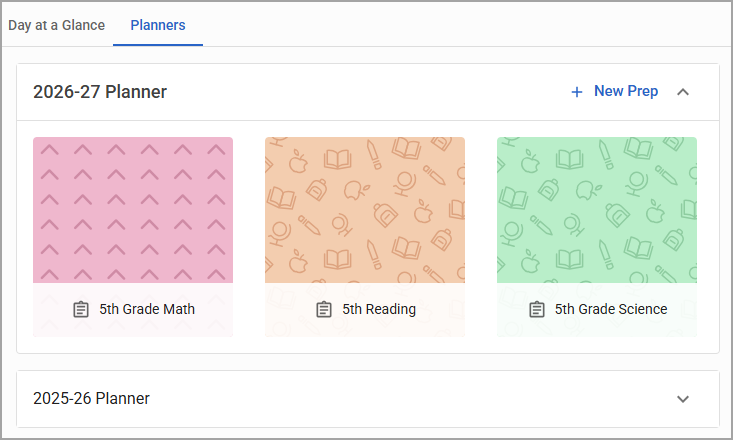
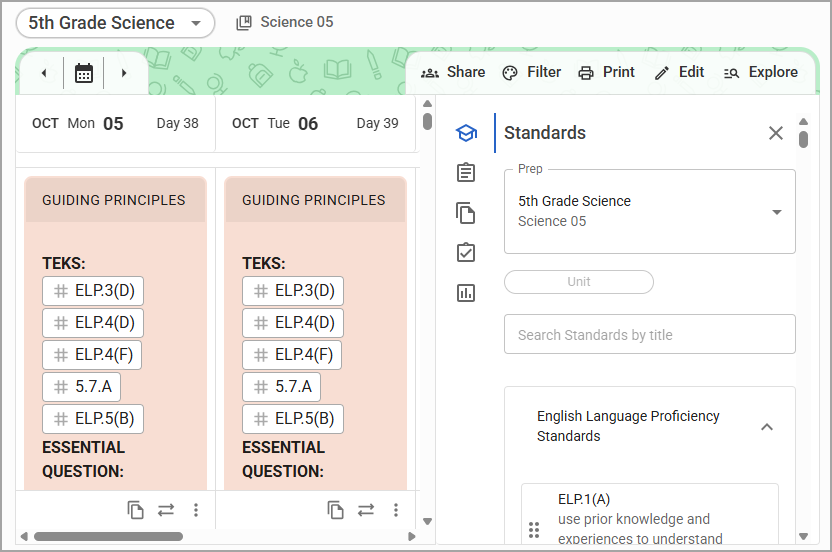
The My Planners screen is the educator's workspace for organizing curriculum into a time-based instructional plan. It brings together class assignments, instructional dates, curriculum resources, and planning tools in one location.
At a conceptual level, the screen answers three fundamental planning questions:
What am I planning for? The educator's class or teaching assignment.
When will I teach it? The instructional calendar and planned dates.
What will I teach? The curriculum content, resources, strategies, and assessments included in the plan.
By bringing these elements together, My Planners provides the organizational framework educators use to prepare, maintain, and review instruction in Beacon.