The Planners section of Beacon is designed to give users easy access to their lesson planning materials, whether they are an owner, contributor, or viewer. This section focuses on organizing and accessing instructional plans in one convenient location.
The Planners section includes two screens:
My Planners – Displays all preps that you own. Typically, this screen includes all of the classes (preps) that you teach. This is where you access and manage your own lesson plans and instructional content.
Shared With Me – Provides access to preps that have been shared with you but are owned by other staff members at your district. This allows for visibility into team or department planning.
Together, these screens make the Planners section a central hub for accessing both personal and shared instructional plans, supporting collaboration, and efficient lesson planning.
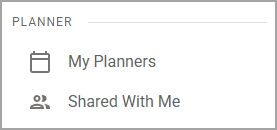
Screens in Planners
Screen | Description | Access |
|---|---|---|
My Planners () | Allows you to access preps for which you are an Owner or Contributor. |
|
Shared With Me () | Allows you to access preps for which you are a Viewer. |
|