To copy comments from the observation template, someone with the Appraisal Administrator role must activate the evaluator’s ability to import data from observation documents to the summative form. For a step-by-step guide on completing this process, see Setting Up a Summative Copy from an Observation.
Once the appraisal administrator has enabled you to do so, follow the steps below to create a summative form with pre-populated data from observation forms.
Quick Guide
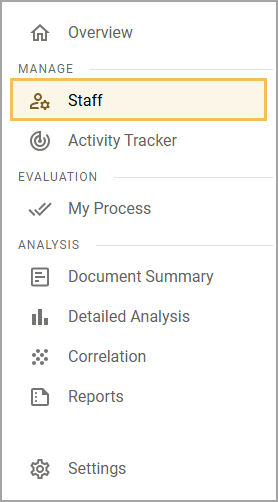
Select Staff () under Manage in the navigation menu.
Start the Summative evaluation template by
selecting the Quick Start a Document icon () on the staff card, or
selecting the Staff card, expanding EOY Conference on the Evaluation Process tab, and selecting the Plus icon ().
Check the Copy existing observation data into my Summative Evaluation checkbox, then select Create.
Illustrated Guide
Step 1: Select Staff () under Manage in the navigation menu.
Step 2: Start the Summative evaluation template. You can do this in two ways:
For the first way, select the Quick Start a Document icon () on the staff card.
.png)
Alternatively, select the Staff card. On the Evaluation Process tab, expand EOY Conference to access the summative document. Click the Plus icon () to start the document.
.png)
Step 3: Check the Copy existing observation data into my Summative Evaluation checkbox, then select Create.
The summative document imports previous scores and comments from the observation form. Comments from multiple forms fill the comment boxes. Line breaks indicate the separation of comments from different forms.
.png)