If a custom role was created as a duplicate or is no longer needed, you can delete the custom role on the Custom Roles screen in Management.
Warning: Deleting a custom role is a permanent actions. When the role is deleted, any users who were assigned the role lose the rights granted to them by that role.
Quick Guide
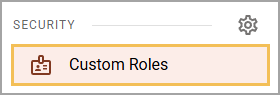
Select Custom Roles from the main menu.
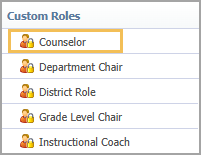
From the Custom Roles list, select the role you want to delete.
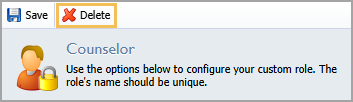
Select Delete.
Select OK to confirm the action.
Illustrated Guide
Step 1: Select Custom Roles from the Security section of the main menu.
Step 2: From the Custom Roles list, select the role you want to delete.
Step 3: Select Delete.
Step 4: A message appears to inform you of the number of users to whom the role is currently assigned. Deleting the role will permanently remove all rights granted by the role from these users. If you are certain that you want to continue. Click OK to confirm.