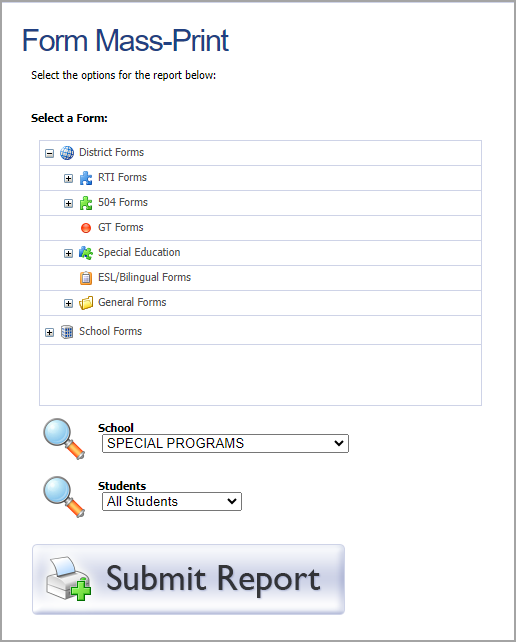
Administrators and teachers can generate and export student form reports that contain information about students on active rosters.
Form Mass-Print is more of an export than a report, allowing administrators to generate one large PDF containing all forms of a specific template.
Users in the state of Texas might also see the Students Forms Status Report. To learn more about Texas reports, see Reports (for Texas Districts).
Running the Form Mass-Print Report
Users with the Create Student Forms right or Assign Student Forms right can access the Form Mass-Print report.
Step 1: To access the Form Mass-Print Report, select Reports from the Students section of the main menu.
Note: Teachers who do not have the necessary rights can find the Student Forms Status Report by selecting Reports in the Analysis section.
.png)
Step 2: Select Form Mass-Print.
Step 3: Drill down to and select the desired form.
Step 4: Select Submit Report.