We have made updates to Management to help administrators manage their district’s Eduphoria product licenses more easily and transparently during onboarding and beyond.
What’s changed?
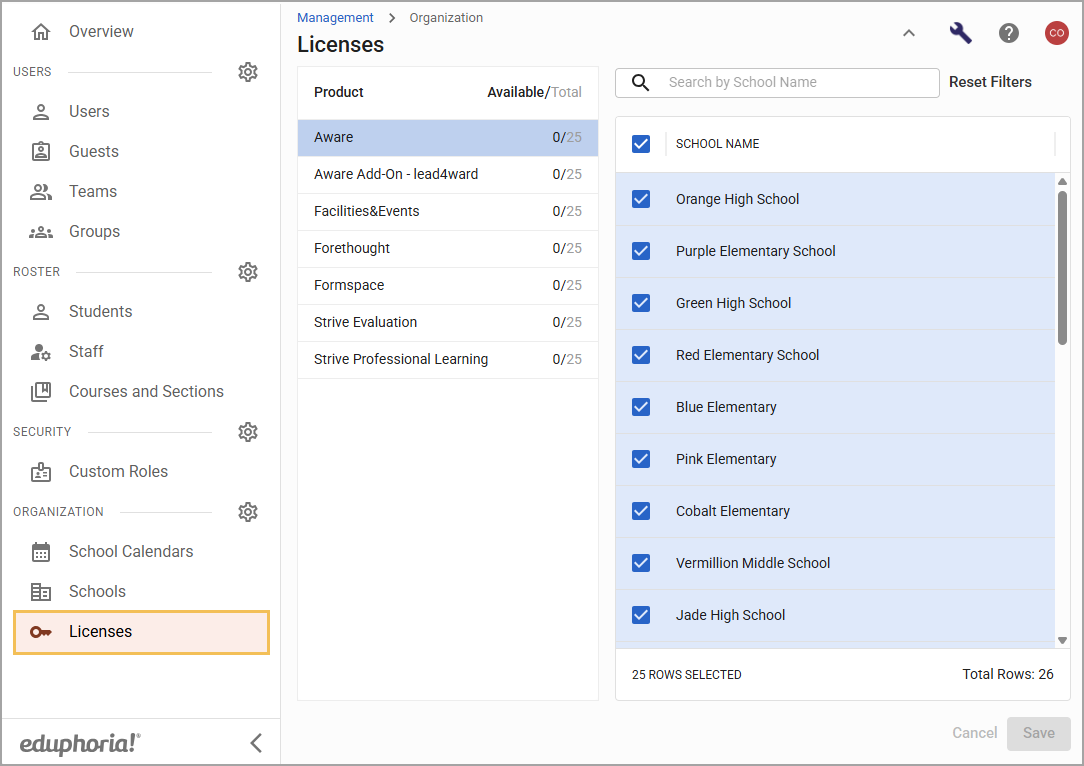
Management has a new screen called Licenses (). Here, you can see all of your district’s total purchased licenses for each Eduphoria product. You can also see how many licenses you have available to assign to schools in the list. For example, having 25 available Aware licenses out of a total of 25 means you can assign an Aware license to up to 25 schools. Scroll down the list or search by school name to locate each school that requires a specific license.
What do I need to do?
Administrators with the Manage Schools right can see and interact with the Licenses () screen upon login to Management. All previously-assigned licenses are still applied to their respective schools, so no action is currently needed.
Instead, administrators can familiarize themselves with the new screen for when they need to add and remove licenses to schools in the future. Giving our users more control over their license management means they can work with less friction as they manage their organizations.